Software development

Software shaped around the way your team already works

Software development is the structured process of designing, creating, testing, deploying and maintaining applications that solve a specific problem. We start where the problem lives — the workflow your team runs every day — and build only what that workflow needs.

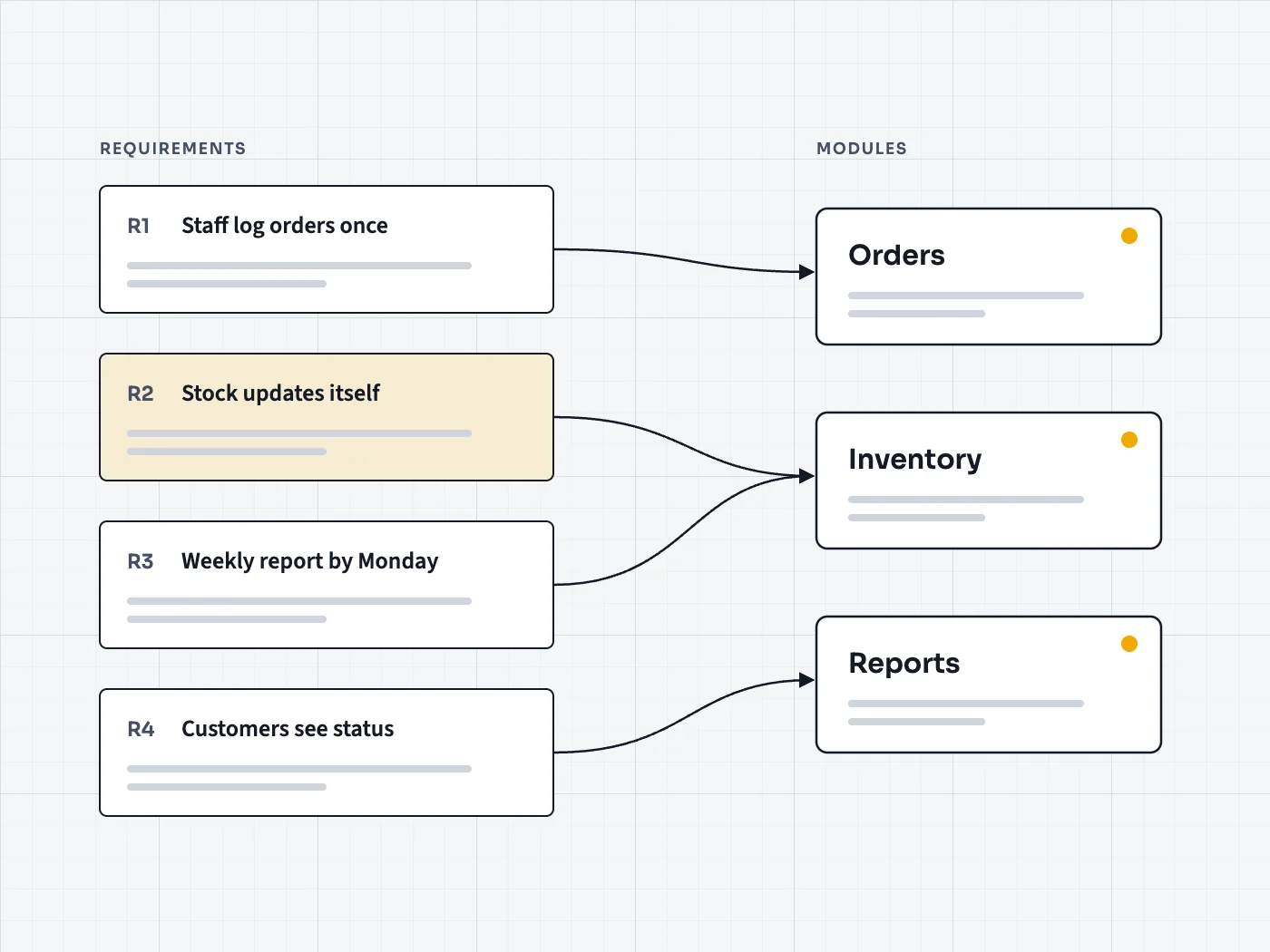
Requirement cards connected by arrows into software modules

Start with requirements

The most expensive bug is building the wrong thing
Requirement analysis comes first

Before any code, we map how work actually flows today: who enters what, where it goes, what's copied by hand, where things wait. The requirements that come out of this are the specification the software is built and tested against.

That step also answers the question many owners are afraid to ask: does this need custom software at all? Sometimes an existing product, configured well, is the better answer — and it's cheaper to find that out on paper.
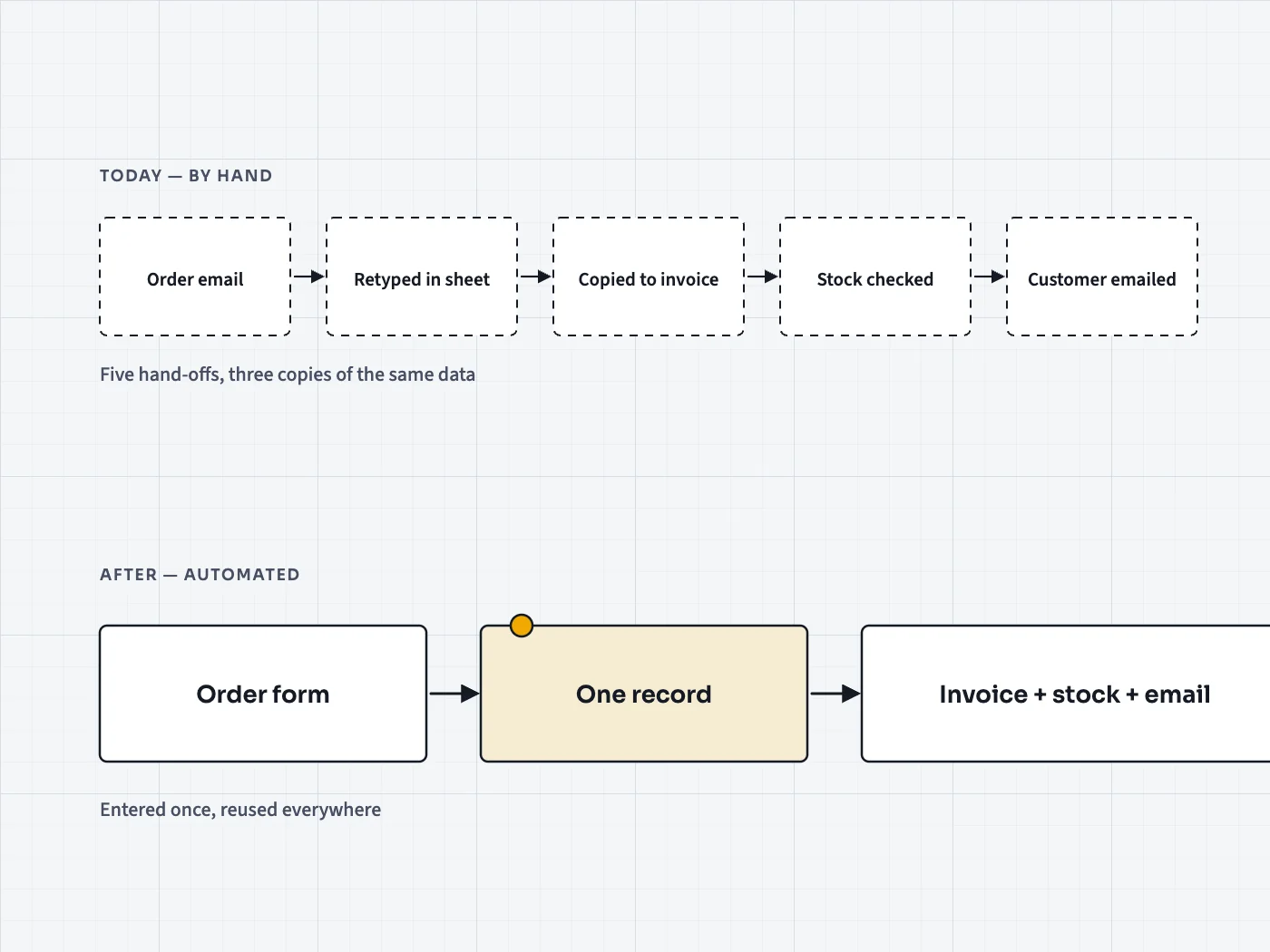
A workflow traced from manual steps to automated ones

Built for the long run

Deployment is a milestone, not the finish line
Maintenance and updates are part of the plan

Software lives inside a changing environment: operating systems update, the business adds a product, a supplier changes an API. So maintenance and updates are planned from the start rather than negotiated after the first thing breaks.

Where the software must connect to other systems — accounting, payments, e-commerce, point of sale — those integrations are identified during requirement analysis and tested before deployment.

The lifecycle

Six stages, every time

  1. 1

    Requirement analysis

    What the software must do, for whom, and how you'll know it works.

  2. 2

    Design

    Screens, data and structure agreed before development begins.

  3. 3

    Development

    The application coded against the agreed requirements.

  4. 4

    Testing

    Checked against those same requirements, with real scenarios.

  5. 5

    Deployment

    Released into your environment, with access handed over.

  6. 6

    Maintenance & updates

    Kept secure, compatible and useful as things change.

What we build

Typical software projects

  • Internal tools

    Replacing spreadsheets and email chains with a tool that fits one specific process.

  • Customer-facing applications

    Portals, booking systems and account areas that customers use directly.

  • E-commerce and point of sale

    Single-store and multivendor platforms, and POS software connected to them.

  • Educational software

    Tools for teaching, learning and administration in education settings.

  • Healthcare software

    Applications for health organisations, designed with privacy as a requirement.

  • Mobile apps

    Apps that extend a system to phones where that genuinely helps its users.

Questions

About software projects

How do I know if I need custom software?

If your team repeats the same manual steps every day, copies data between systems, or has bent an off-the-shelf tool until it breaks, it's worth a conversation. Requirement analysis will tell you whether custom work is justified.

Can you work on software someone else wrote?

Often. We review the existing code and documentation first, then recommend whether to maintain, extend or replace it.

What happens after deployment?

Maintenance and updates are a stage of the lifecycle, not an afterthought. We agree how that will work as part of the project.

Can a specialist from your network join our in-house team?

Yes — that's what the freelancer network is for. See the network page for how project collaboration works.

Describe the workflow, not the software

Tell us where time is lost or errors creep in. We'll help work out what — if anything — should be built.