By Creative Young SolutionsPublished 10 min read
Small organisations are often told to “take cyber security seriously” without being told what that means on a Tuesday afternoon. The Canadian Centre for Cyber Security answers with thirteen practical baseline controls for organisations with fewer than 499 employees. This guide turns them into a health check you can run yourself.
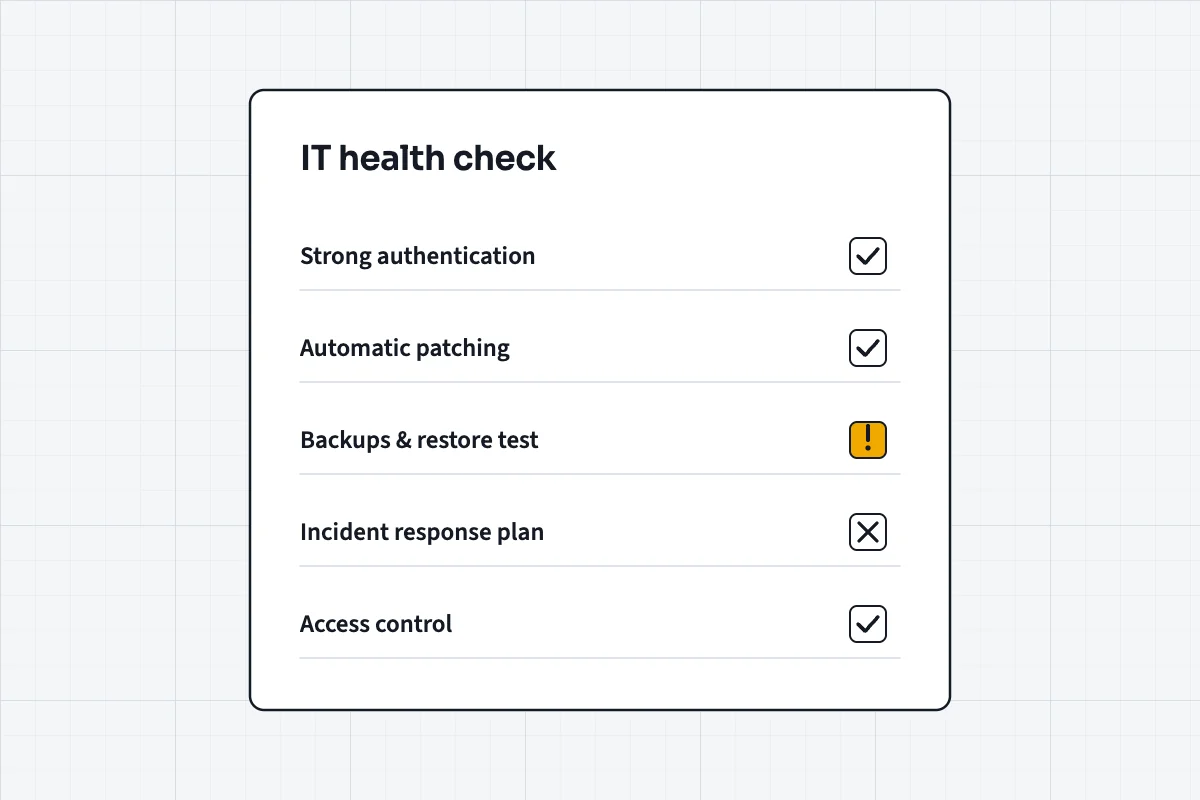
You don't need an enterprise security programme. Work through the thirteen baseline controls, mark each as in place, partly in place or missing, and fix the missing ones in order of risk: patching, strong authentication, backups and an incident plan usually come first.
How to use this checklist
For each control below, give yourself one of three marks: in place, partly in place, or missing. Be honest — the value of a health check is in the gaps it reveals. When you're done, you'll have a simple picture of where you stand and a natural order for what to fix.
The controls come from the Canadian Centre for Cyber Security's baseline guidance, version 1.2. They're deliberately practical: aimed at the measures that stop the most common attacks for a reasonable amount of effort, rather than everything a large enterprise might do.Sources for this passage: Canadian Centre for Cyber Security — Baseline cyber security controls for small and medium organizations
1. Develop an incident response plan
If a laptop is stolen, an account is taken over or ransomware locks your files, who do you call, what do you switch off and how do you keep the business running? An incident response plan answers those questions before you're under pressure. It can be short: key contacts, the systems that matter most, where backups live, and the steps to take in the first hour.
If your organisation handles personal information, the plan should also cover your obligations under Canada's federal private-sector privacy law, PIPEDA, which requires you to report a breach of security safeguards and notify the people affected when it creates a real risk of significant harm.Sources for this passage: Office of the Privacy Commissioner of Canada — PIPEDA
2. Automatically patch operating systems and applications
Many successful attacks exploit weaknesses that already have a fix available. Turn on automatic updates for operating systems, browsers and common applications, and check that they're actually being applied. Keep a short list of anything that can't update automatically — older equipment, specialist software — and a plan to replace it.
3. Enable security software
Make sure every computer runs up-to-date anti-malware protection, and that the operating system's built-in firewall is switched on. Security software is only useful if it's current and hasn't been quietly disabled, so include it in whatever routine check you do on devices.
4. Securely configure devices
New devices usually arrive configured for convenience, not security. Change default passwords, remove software you don't use, turn off features and services you don't need, and use the device's own security settings — screen locks, disk encryption, restricted administrator rights. A standard setup applied to every device is easier to maintain than a dozen individual ones.
5. Use strong user authentication
Stolen or guessed passwords remain one of the easiest ways into a small organisation. Use long, unique passphrases, a password manager so people don't reuse them, and multi-factor authentication wherever it's available — especially for email, cloud storage, banking and administrator accounts. If you do only one thing from this list this week, make it this one.
6. Provide employee awareness training
Most incidents involve a person clicking, opening or approving something. Short, regular training on phishing, suspicious requests for payment, safe handling of information and how to report a mistake quickly does more than a single annual session. The federal Get Cyber Safe programme publishes free, plain-language material you can use for exactly this.Sources for this passage: Get Cyber Safe — Government of Canada
7. Back up and encrypt data
Backups are what turn a disaster into an inconvenience. Back up important data regularly, keep at least one copy separate from your main systems so ransomware can't reach it, encrypt backups and portable copies, and — the step most often skipped — test that you can actually restore from them.
8. Secure mobility
Phones and tablets now hold email, files and access to business systems. Decide which devices may connect, require screen locks and encryption, keep them updated, and make sure you can wipe a lost device remotely. If staff use their own phones, agree clear rules about what business data may live on them.
9. Establish basic perimeter defences
Your internet connection is a front door. Use a properly configured firewall, change the default credentials on your router, secure your Wi-Fi with strong encryption, keep guest Wi-Fi separate from business systems, and use a secure connection for remote access rather than exposing services directly to the internet.
10. Secure cloud and outsourced IT services
Using cloud services doesn't transfer responsibility for your data. Understand what each provider secures and what remains your job, turn on the security features they offer, review who has access, and know where your data is stored and how you'd get it back if you left the service. Apply the same questions to any IT supplier who manages systems for you.
11. Secure websites
Your website is often the most exposed system you own. Keep its software, themes and plugins updated, use HTTPS, protect administrator logins with strong authentication, back it up, and remove plugins and accounts you no longer use. If the site collects personal information through forms, know where submissions are stored and who can read them.
12. Implement access control and authorization
People should have access to what they need for their role — and no more. Give administrator rights only to those who genuinely need them, use separate accounts for administration and everyday work, review access regularly, and remove it promptly when someone changes role or leaves.
13. Secure portable media
USB drives and external disks are easy to lose and easy to infect. Limit their use, encrypt any that carry business information, scan them before use, and dispose of old media securely so data can't be recovered from it.
Keep the check alive
A health check is a snapshot. Systems change every month — someone joins, a new cloud tool is adopted, a laptop is replaced, a supplier gets access to your accounts — and each change can quietly undo a control you had in place. The organisations that stay in good shape treat the checklist as a routine rather than a one-off project.
A practical rhythm for a small team: review accounts and access every quarter, confirm that updates and backups are actually running every month, test a restore at least twice a year, and revisit the whole list whenever something significant changes, such as a move to a new office, a new core system or a change of IT supplier. Record the date and the result each time. That record is useful in its own right: it shows customers, insurers and partners that security is being managed, and it makes the next review faster because you're comparing against a known starting point.
Finally, give the checklist an owner. In a small organisation that's rarely a security specialist — it might be the operations manager or the owner. What matters is that one named person is responsible for making sure the review happens and that the gaps it finds are fixed.
Reading your results
Count the controls you marked as missing. Most small organisations find a handful, and the order in which to tackle them is usually clear: strong authentication, patching, backups and an incident plan protect against the most common and most damaging events. Configuration, access control and training come next. Then work through the rest.
If you'd like an outside view, this is exactly what an IT assessment covers: an inventory of what you have, a review against recognised baselines like these, and a prioritised plan. Organisations that want to demonstrate their security to customers or partners can also look at CyberSecure Canada, a certification programme for small and medium-sized organisations built on these same baseline controls and administered by the Standards Council of Canada.Sources for this passage: Standards Council of Canada — CyberSecure Canada certification